Sure @George_Kuvalis, I’ve just reset your program.
Hello Justin, I’d like to reset my progress for my SIE as well please.
@Sophie_Durgan Your progress has been reset!
Can I please have my SIE study progress and quizzes program reset all the way to a brand new dashboard please! @Mataia @Justin
@Salvatore_Connelly Your SIE study progress and quizzes program has been reset!
May I have my full progress reset as well?
@Roxanne_Monahan your course has been reset! 
May I have my full progress be reset? Thank you!
@Carol_Green Your progress has been reset!
may I get my full process reset? thanks
@Crystal_Glover I completed a full process reset on your account!
hi thank you for the reset but I was wondering if the quiz progress could be reset. The reason is that before I felt like I didn’t read the text deeply impacting my lower scores. I wanted to see if my scores would improve after I have read the text throughly and watched YouTube videos.
@Crystal_Glover Due to the way our system works, it isn’t possible to completely delete your study history, which is why the quiz summary section still shows your previous summary. My recommendation is just to use the time filters on that section to show your recent studying!
Hi thank you for replying back. Does this also include the % that I hover over for my quizzes. I assume the % won’t be accurate because it contains prior results as well? Currently I got a 90% on my quiz but it still shows 77% for that section.
@Crystal_Glover The best way to track your recent improvement is to focus on the time-filtered view in the quiz summary section, since that will show your most recent performance.
May I please get all of my progress reset? Thank you!!
@Lori_Stark Your progress has been reset!
Hi! Can you please reset my SIE account progress? Thank you!
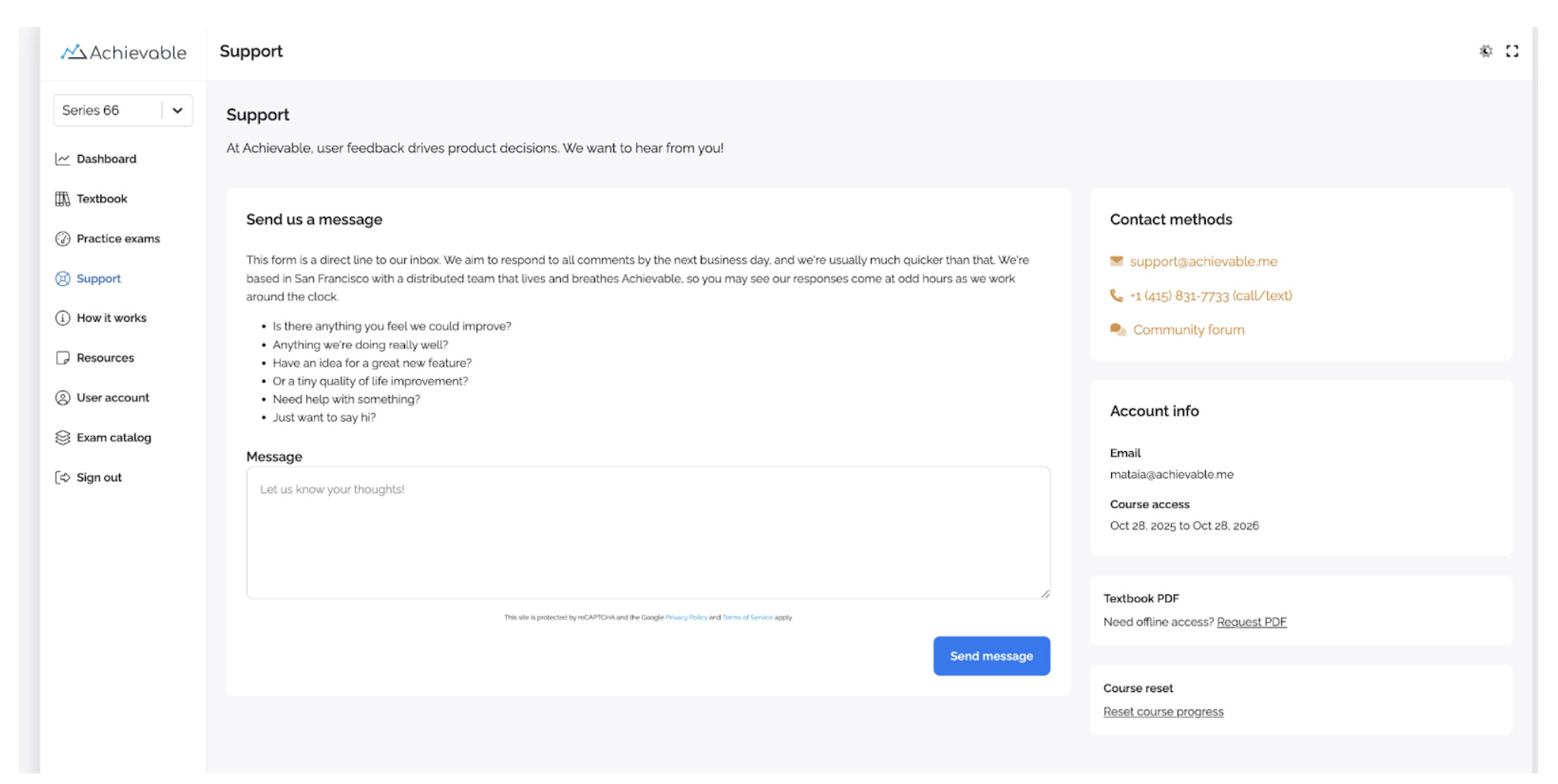
Hi, if eligible, you can reset your course by selecting the “Support” tab in the left-hand menu and selecting “Reset Course Progress” on the bottom right side of the page. Please see the screenshot for reference, and let reach out to us via that feedback form or at support@achievable.me if you need any additional help!